Specifications
Manufacturer: Dell Technologies
Manufacturer Part Number: U2721DE
Manufacturer Website Address: http://www.delltechnologies.com
Brand Name: Dell
Product Line: UltraSharp
Product Series: U
Product Model: U2721DE
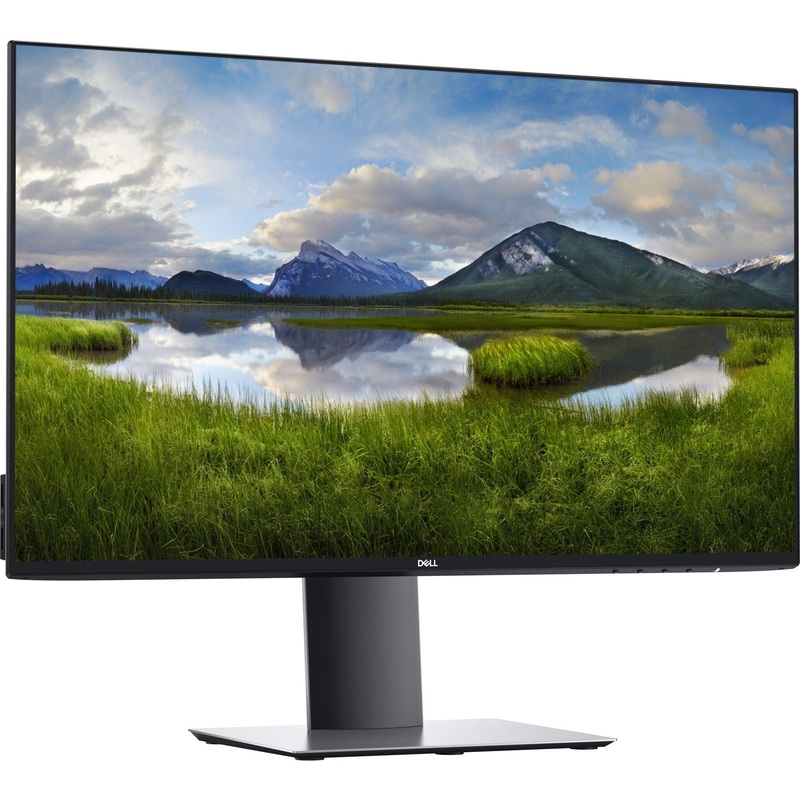
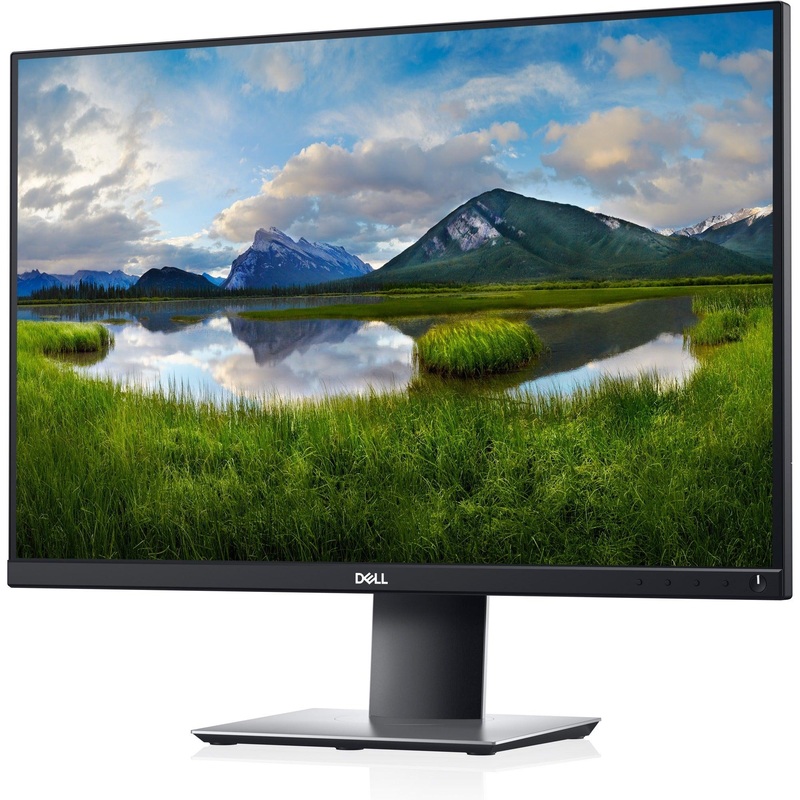
Product Name: UltraSharp U2721DE Widescreen LCD Monitor
Marketing Information:
Comprehensive connectivity, maximum productivity
Connect to productivity: Experience outstanding wired connection to your network. With extensive connectivity options like RJ45 and USB-C, your monitor serves as a productivity hub that delivers stable Ethernet and power – all in a clutter-free setup.
Enhanced manageability: Managing your monitor is easy with MAC Address pass-through, PXE Boot, and Wake-on-LAN conveniently built in.
Power of USB-C: Charge your connected laptop with up to 65W of power using USB-C, a single cable solution that transmits power, data and video signals. And with the Always On Power Delivery feature, your laptop will keep charging, even when the monitor is turned off. USB-C also saves up to 72% of workspace setup time, reduces cable clutter and enables quick transitions from your desk.
Setup is a snap: Experience a convenient multi-monitor setup with Dell Express Daisy Chaining. It allows automatic detection of the second display, skipping the manual step of changing OSD settings.
Outstanding visuals
Impeccable details: Every image comes to life on this 27″ screen. With QHD (2560×1440) resolution, you’ll get 1.77 times more details than Full HD.
Color consistency comes standard: Your UltraSharp monitor is factory calibrated at 99% sRGB coverage to an accuracy of Delta-E less than 2, for precise hues right out of the box. Plus with 85% coverage of the DCI-P3 color space, you will see images and video in an even wider range of colors.
Always the best view: See consistent, vibrant colors across a wide viewing angle enabled by In-Plane Switching (IPS) technology.
nnovative design
Free up valuable desk space: Optimize your workspace with a stylish monitor featuring a thin panel profile, a compact base and a cable management slot that can hide cable cutter from view. Plus, 2 USB downstream ports (one featuring power charging) conveniently placed and available at the side of the monitor which helps you connect and charge your peripherals effortlessly.
Expand your efficiency: The virtually borderless InfinityEdge design lets you enjoy a seamless view of your content across multiple monitors. And, with dual monitors, you can increase your productivity by up to 21%.
Adjust to your comfort: Pivot, tilt, swivel and adjust the height of your monitor for a comfortable setup all day long. Our improved design, with the hinge on the riser, makes it easier to adjust while keeping the riser in the same place.
Easy on the eyes: This TUV Certified monitor has a flicker-free screen with ComfortView, a feature that reduces harmful blue light emissions. It’s designed to optimize eye comfort even over an extended period of time.
Improved Dell Display Manager
Productive at every level: Dell Display Manager’s (DDM) Easy Arrange feature lets you quickly tile and view your applications side by side across one or more connected screens for multitasking efficiency. And with the improved DDM, you’ll get even more preset layouts.
Seamless transitions: The auto-restore feature remembers where you left off, so applications will go back to where you left them, even after you’ve unplugged.
The key to convenience: Shortcut keys can save you even more time, letting you easily configure your display management settings so you can get to work faster.
More ways to manage: Asset management reports allow IT managers to quickly capture and track monitor information as well as configure multiple monitors at once through a single setup.
Product Type: LCD Monitor
Technical Information
Number of Screens: 1
Screen Size Class: 685.80 mm
Viewable Screen Size: 68.6 cm (27″)
Screen Mode: WQHD
Panel Technology: In-plane Switching (IPS) Technology
Response Time: 5 ms Fast
Aspect Ratio: 16:9
Pixel Pitch: 0.23 mm
Horizontal Viewing Angle: 178
Vertical Viewing Angle: 178
Backlight Technology: LED
Mount Type: Desk Mountable
HDCP Supported: Yes
Features:
- Cable Management
- Anti-glare
- Flicker-free
- 3H Surface Hardness
- Blue Light
- ComfyView
- Security Lock
- Cable Lock Slot
- Wide Viewing Angle
- Stand Lock
- On-screen Display (OSD)
- Ergonomic Design
- Low Blue Light
Stand Adjustments:
Adjustable Stand Height: Yes
Video
Maximum Resolution: 2560 x 1440
Standard Refresh Rate: 60 Hz
Colour Supported: 16.7 Million Colours
Native Contrast Ratio: 1,000:1
Brightness: 350 cd/m – Typical
Color Gamut:
- 99% sRGB
- 99% BT.709
- 85% DCI-P3
Interfaces/Ports
Network (RJ-45): Yes
HDMI: Yes
USB: Yes
DisplayPort: Yes
USB Type-C: Yes
Number of HDMI Inputs: 1
Number of DisplayPorts: 2
Number of USB Ports: 5
Number of USB 3.0 Downstream Ports: 4
Number of USB Type-C Ports: 1
Built-in Devices
Built-in Devices: USB Hub
Power Description
Operating Power Consumption: 160 W
Standby Power Consumption: 200 mW
Off-Mode Power Consumption: 200 mW
Energy Efficiency Class (SDR) (from 1st March, 2021): F
ON Mode Energy Consumption per 1000Hour (SDR) (from 1st March, 2021): 23 W
Physical Characteristics
VESA Mount Compatible: Yes
Height: 355 mm
Width: 612.2 mm
Depth: 39 mm
Height with Stand: 390.20 mm
Width with Stand: 612.20 mm
Depth with Stand: 180 mm
Weight (Approximate): 4.19 kg
Miscellaneous
Energy Star: Yes
Environmentally Friendly: Yes

Reviews
There are no reviews yet.